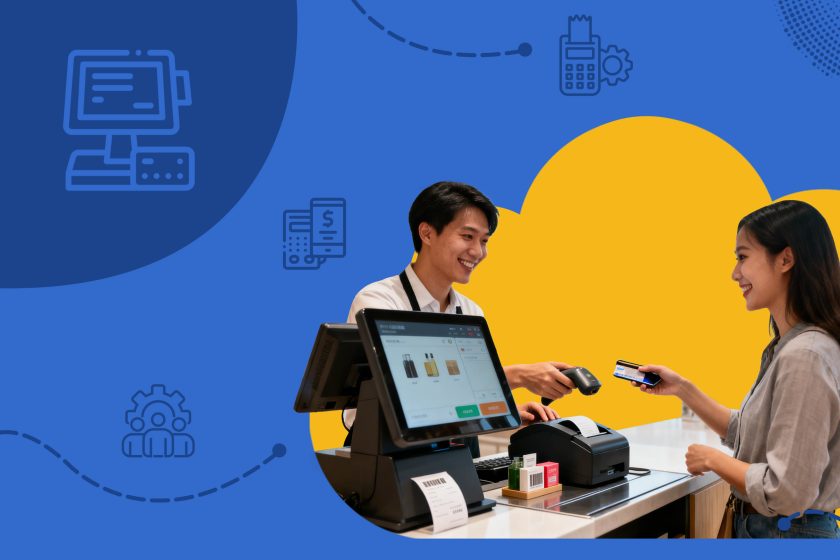
A POS system (Point of Sale system) is the technology platform businesses use to complete and record sales transactions. While POS systems were once associated with retail checkout counters, modern systems have evolved into complete business management tools. Today’s POS platforms connect sales processing with inventory tracking, employee activity monitoring and financial reporting in a single integrated environment.
In today’s data-driven business world, POS systems often function as operational control centers. Every transaction processed through the system generates valuable data that contributes to revenue tracking, cost monitoring, tax reporting and performance analysis. As organizations expand and operations become more complex, the POS system becomes one of the most critical components of operational infrastructure.
What Is a POS System?
At its core, a POS system combines hardware and software that work together to process transactions when customers purchase products or services. While traditional systems focused on calculating totals and printing receipts modern POS platforms support a much wider range of operational tasks.
A typical POS platform allows businesses to:
- Process multiple payment methods such as cash, credit cards, contactless payments and QR-based digital wallets
- Calculate taxes and discounts during checkout
- Track inventory levels in real time as items are sold
- Attribute transactions to specific employees or cashiers
- Generate daily weekly and monthly financial reports
- Synchronize sales data across multiple branches or store locations
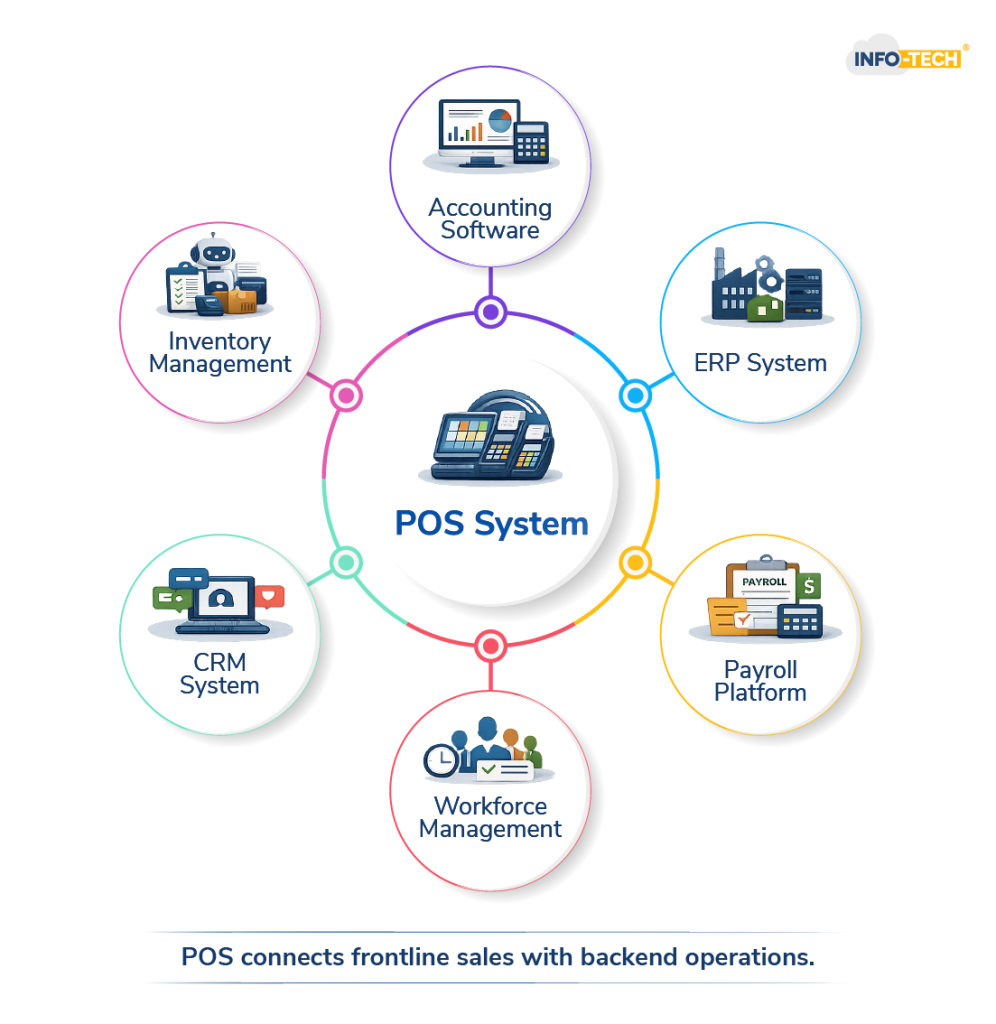
Today’s POS systems often integrate with accounting software, ERP platforms, payroll software and analytics dashboards instead of operating as a simple standalone register. This level of integration helps businesses maintain a connected operational ecosystem where financial and operational data remain aligned.
What Does POS Stand For?
POS stands for Point of Sale.
The term refers to several related aspects of a business transaction:
- The moment when a purchase is completed
- The physical or digital location where payment occurs
- The system responsible to process and record the transaction
In modern business environments, POS represents the entire transaction management infrastructure rather than the checkout terminal.
How Does a POS System Work?
A POS system operates through a structured workflow that processes transactions while it updates business records. Here are the three steps,
1. Item Selection and Pricing
When a customer selects a product or service, the cashier scans a barcode or chooses the item from the POS interface. The system retrieves stored pricing information and applies relevant taxes, service charges, and discounts based on predefined rules.
2. Payment Processing
Once the system confirms the total amount, the customer selects a payment method. The POS system connects to a payment processor for authorizing card or digital wallet transactions, while the system records cash payments within it.
3. Automatic Backend Updates
Right after the sale is completed, the POS system updates several backend records in real time. This automation reduces the need for manual reconciliation and lowers the risk of errors in operations.
What Information Does a POS System Record?
Every completed transaction creates a digital audit trail. This record improves accuracy in reporting and helps maintain transparency in operations.
A standard POS transaction record includes:
- Date and time of the sale
- Product SKU and quantity purchased
- Price and discounts applied
- Tax breakdown for the transaction
- Payment method used
- Employee login ID
- Store or branch location
- Unique transaction number
This structured dataset offers support for financial reconciliation, compliance checks, and performance analysis.
Core Components of a POS System
A POS system consists of both hardware and software components that work together to process transactions and manage operational data.
Hardware Components
| Component | Function |
| POS Terminal / Tablet | Main interface used to process transactions |
| Barcode Scanner | Identifies products quickly during checkout |
| Card Reader | Authorizes debit and credit card payments |
| Cash Drawer | Stores and manages physical cash |
| Receipt Printer | Prints receipts for completed transactions |
| Customer Display | Shows transaction details to customers |
Software Modules
| Module | Purpose |
| Sales Management | Processes and records transactions |
| Inventory Management | Tracks stock levels automatically |
| Reporting & Analytics | Provides insights into sales performance |
| Employee Login Controls | Tracks staff activity and accountability |
| Cloud Synchronization | Enables data access across multiple locations |
| CRM Integration | Records customer purchase history |
Together, these components form a unified system that supports both transaction processing and operational reporting.
The 4 Types of POS Systems
POS systems fall into four main types based on deployment models and operational flexibility.
| Type | Deployment | Common Use Case |
| Traditional (On-Premise) | Installed locally on company hardware | Large enterprises |
| Cloud-Based POS | Hosted online with remote access | Multi-branch businesses |
| Mobile POS (mPOS) | Tablet or smartphone-based systems | Small businesses or flexible setups |
| Self-Service / Kiosk POS | Operated directly by customers | High-volume retail and food service environments |
Cloud-based POS systems have gained significant adoption due to centralized management remote access capabilities and subscription-based pricing structures.
Operational and Financial Impact
Modern POS systems have an influence on several key areas of business performance.
1. Revenue Visibility
POS platforms give businesses the ability to monitor sales activity in real time. This visibility improves decision-making and financial accuracy.
Key benefits include:
- Real-time sales monitoring
- Reduced manual entry errors
- Controlled discount approvals
- Transparent refund tracking
2. Workforce Monitoring
Since POS systems require employee logins, they also offer useful insights into staff performance.
Organizations can track:
- Employee-level sales activity
- Shift-based performance trends
- Commission and incentive validation
- Authorization controls for refunds or overrides
3. Inventory Optimization
POS systems also help businesses manage inventory more .
Benefits include:
- Automatic stock deduction when items are sold
- Low-stock alerts to plan replenishment
- Reduced over-ordering of products
- Better demand forecasting based on sales data
Compliance and Control Features
To strengthen governance and operational security modern POS systems include:
- Role-based user permissions
- Manager approval requirements to refund and void transactions
- Encrypted payment processing
- Secure cloud backups
- Detailed transaction logs
These features help reduce financial discrepancies and strengthen accountability across business locations.
Conclusion
A POS system has evolved far beyond its traditional role as a tool to process transactions. Today it functions as a central platform for operations that captures revenue data, updates inventory in real time, records employee activity and supports accurate financial reports.
Sales data alone doesn’t always provide a complete operational view. When organizations align POS insights with workforce management systems—including time and attendance tracking and shift scheduling—they can better understand how labor hours correspond with revenue generation. This alignment helps improve productivity analysis staffing decisions and overall cost management.
POS system Frequently Asked Questions
What is a POS system?
POS system is an integrated hardware and software solution that processes sales transactions, tracks revenue, manages inventory, monitors employee activity and generates business reports.
What are the 4 types of POS systems?
Traditional (on-premise), cloud-based mobile POS (mPOS), and self-service or kiosk POS systems.
How to use POS as a cashier?
A cashier logs in scans items, processes payment, issues a receipt, and closes the transaction. Certain actions may require managerial approval.
What is the meaning of POS?
POS stands for “Point of Sale,” a term that refers to the system and location where a transaction is completed and recorded.
